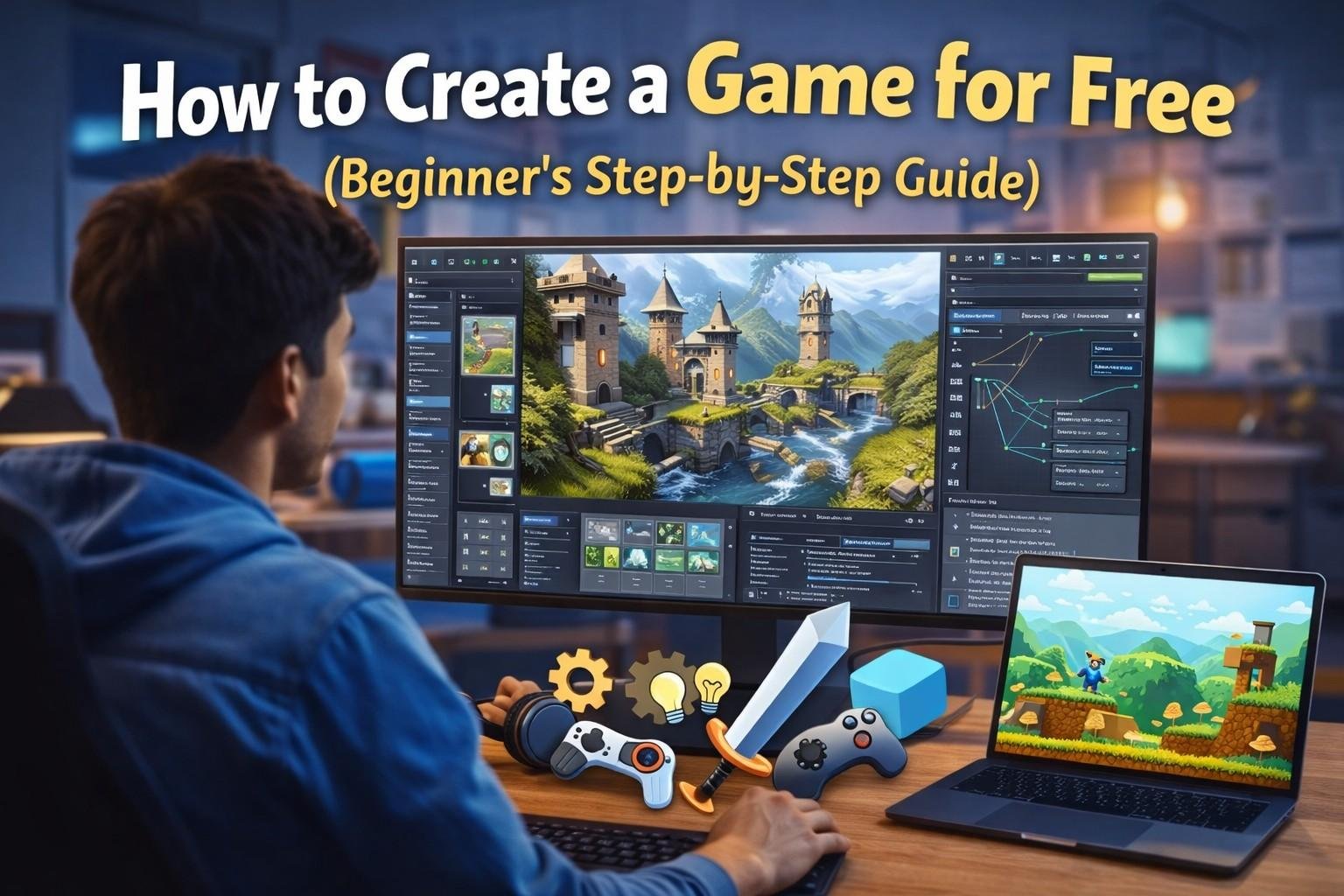

Creating your own video game once required expensive software, powerful computers, and a large development team. Today, things have completely changed. Thanks to modern technology and powerful free tools, anyone can create a game for free, even if they have little or no programming experience.
Whether you want to build a mobile game, a PC game, or a browser-based game, there are many free game engines and tools available that make the process easier than ever.
In this beginner-friendly guide, you will learn how to create a game for free, the best tools to use, and the step-by-step process to turn your game idea into a playable game.
What is Game Development?
Game development is the process of designing, creating, testing, and publishing a video game. It includes multiple elements, such as
- Game design
- Programming
- Graphics and animation
- Sound and music
- Level design
- Testing and debugging
Professional game studios use large teams for these tasks, but with modern engines like Unity, Unreal Engine, and Godot, even beginners can develop games on their own.
Types of Games You Can Create for Free
Before starting your game project, it is important to decide what type of game you want to build.
Here are some common types of games beginners create.
1. Mobile Games
Mobile games are designed to run on smartphones and tablets. These are one of the most popular choices for beginner developers because they are usually smaller and easier to develop compared to large PC or console games.
Typical mobile game genres include:
- Puzzle games
- Arcade games
- Casual games
These games are distributed through platforms like the Google Play Store and the Apple App Store.
Many independent developers start with mobile games because they:
- Require smaller development teams
- Have a large global audience
- Are easier to publish and monetize
2. PC Games
PC games are designed for desktop or laptop computers. They usually allow more complex gameplay, better graphics, and larger game worlds compared to mobile games.
Beginner developers often start with:
- Small indie games
- Single-level or short gameplay experiences
Over time, these projects can grow into larger and more advanced games. PC platforms also give developers more flexibility for controls, graphics settings, and game mechanics.
3. 2D Games
2D games use two-dimensional graphics, meaning characters and objects move on a flat plane (usually left/right or up/down).
Common types of 2D games include:
- Platformer games
- Puzzle games
- Arcade games
Beginners prefer 2D games because they:
- Require simpler graphics
- Need less programming complexity
- Are faster to develop
Many classic games were 2D, and the style is still popular in modern indie games.
4. 3D Games
3D games use three-dimensional graphics, which allow characters and objects to move in all directions in a virtual world.
These games often include:
- Realistic environments
- Advanced physics systems
- Complex character animations
Although they are more challenging to create, modern game engines like Unreal Engine help developers build high-quality 3D games with powerful tools and visual editors.
3D games are commonly used for:
- Action games
- Adventure games
- Simulation games
5. Browser Games
Browser games run directly in a web browser, so players do not need to install anything.
Advantages of browser games:
- Easy to access from any device with internet
- Quick to play
- Easy to share online
Developers can publish these games on platforms like itch.io, where indie developers showcase and distribute their games.
Browser games are great beginner projects because they are simple, lightweight, and easy to distribute.
✅ Summary
Choosing the right game type helps beginners start development more easily:
- Mobile games – Great for beginners and easy to publish
- PC games – More powerful and flexible
- 2D games – Simple and beginner-friendly
- 3D games – Advanced with realistic environments
- Browser games – Playable instantly on the web
Starting with a small 2D or mobile game is usually the best way for beginners to learn game development before moving on to larger projects.
Skills Needed to Create a Game
You do not need to be an expert programmer to create a game, but learning a few basic skills will help you greatly.
1. Basic Programming Knowledge
Most modern game engines use programming languages to control game logic, character behavior, and interactions.
Some common programming languages used in game development include:
- C# used with Unity
- C++ used with Unreal Engine
- GDScript used with Godot
Programming helps you create features such as:
- Player movement
- Enemy behavior
- Score systems
- Game rules and mechanics
However, some game engines provide visual scripting tools or drag-and-drop systems, allowing beginners to create games without heavy coding.
2. Game Design Thinking
Game design focuses on how the game works and how players experience it.
It involves planning important elements such as:
- Game mechanics – how players interact with the game
- Level design – the layout of stages or environments
- Difficulty progression – how the game gradually becomes more challenging
- Player experience – making the game fun and engaging
A good game designer ensures that the game is balanced, interesting, and enjoyable to play.
3. Creativity and Storytelling
Creativity plays a big role in making a game unique and memorable.
This skill helps developers create:
- Interesting characters
- Unique game worlds
- Engaging storylines
- Original gameplay ideas
Even a simple game can become exciting if it includes creative visuals, a fun theme, or a compelling story.
4. Problem-Solving Skills
Game development often involves technical challenges and bugs.
Developers frequently need to:
- Fix errors in code
- Improve game performance
- Adjust gameplay mechanics
- Solve design problems
Strong problem-solving skills help developers troubleshoot issues and find better solutions while building the game.
✅ Summary
To create a game successfully, beginners should focus on developing these key skills:
- Programming knowledge for building game mechanics
- Game design thinking to plan engaging gameplay
- Creativity and storytelling to make games unique
- Problem-solving skills to fix issues and improve the game
With practice and patience, these skills will help you turn your game ideas into a playable reality.
Best Free Game Development Tools
Several free tools allow developers to build professional-quality games.
Unity

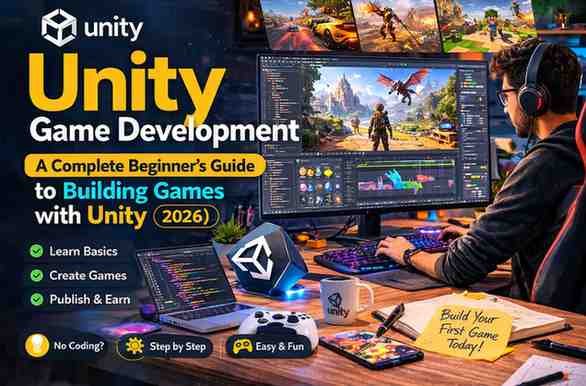
Unity is one of the most widely used game engines in the world. It is popular among both indie developers and professional studios.
Key features:
- Supports both 2D and 3D game development
- Large global community with tutorials and learning resources
- Ability to publish games on multiple platforms such as PC, mobile, and consoles
- A free version available for beginners and small developers
Unity uses the C# programming language to create gameplay mechanics and scripts. Because of its flexibility and huge learning resources, many beginners start their game development journey with Unity.
Official website: https://unity.com
Unreal Engine
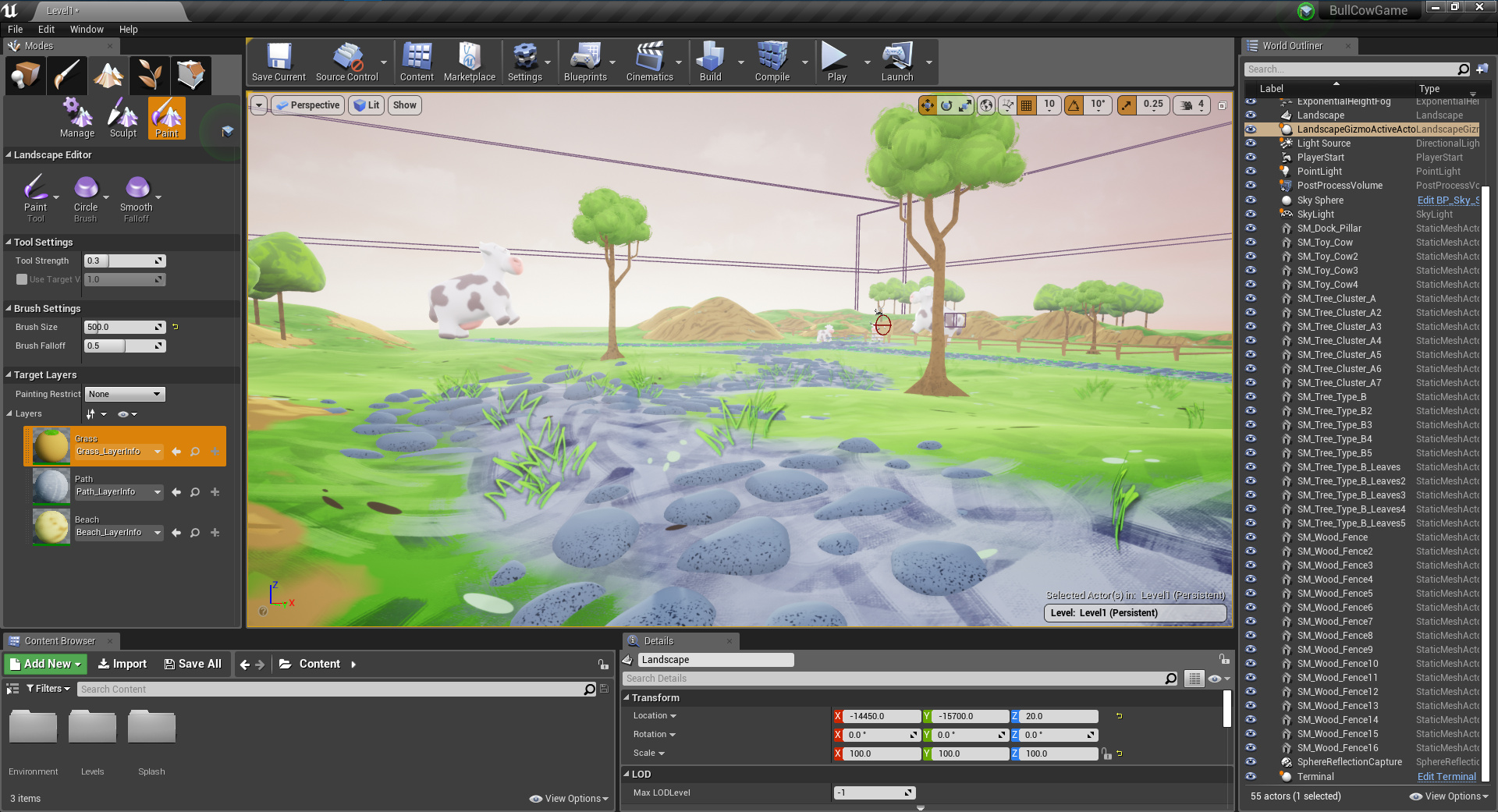
Unreal Engine is famous for producing high-quality graphics and realistic environments.
Important features:
- Advanced 3D rendering technology
- A visual scripting system called Blueprint, which allows developers to create game logic without heavy coding
- Used in many AAA games and high-end projects
Unreal Engine is powerful but slightly more complex than beginner engines. However, its visual tools help new developers experiment with professional-level game development.
Official website: https://www.unrealengine.com
Godot
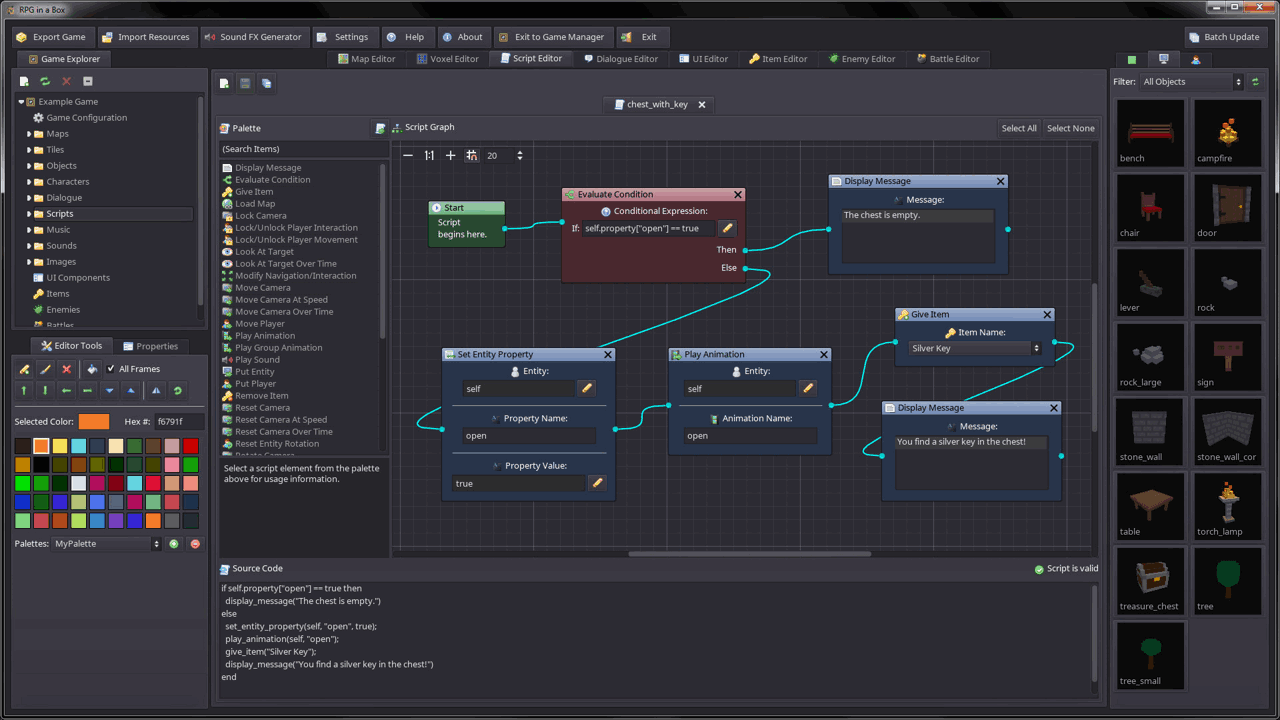
Godot is a free and open-source game engine that has become very popular among indie developers.
Advantages:
- Completely free with no licensing fees
- Lightweight and runs smoothly on most computers
- Beginner-friendly interface
- Excellent tools for 2D game development
Godot uses its own scripting language called GDScript, which is simple and similar to Python, making it easier for beginners to learn.
Official website: https://godotengine.org
Scratch

Scratch is designed mainly for students and beginners who have never programmed before.
Key features:
- Uses drag-and-drop blocks instead of traditional coding
- Very easy to understand
- Ideal for learning the basic concepts of programming and game logic
Scratch is commonly used in schools to teach children how games and interactive projects work.
Official website: https://scratch.mit.edu
GameMaker
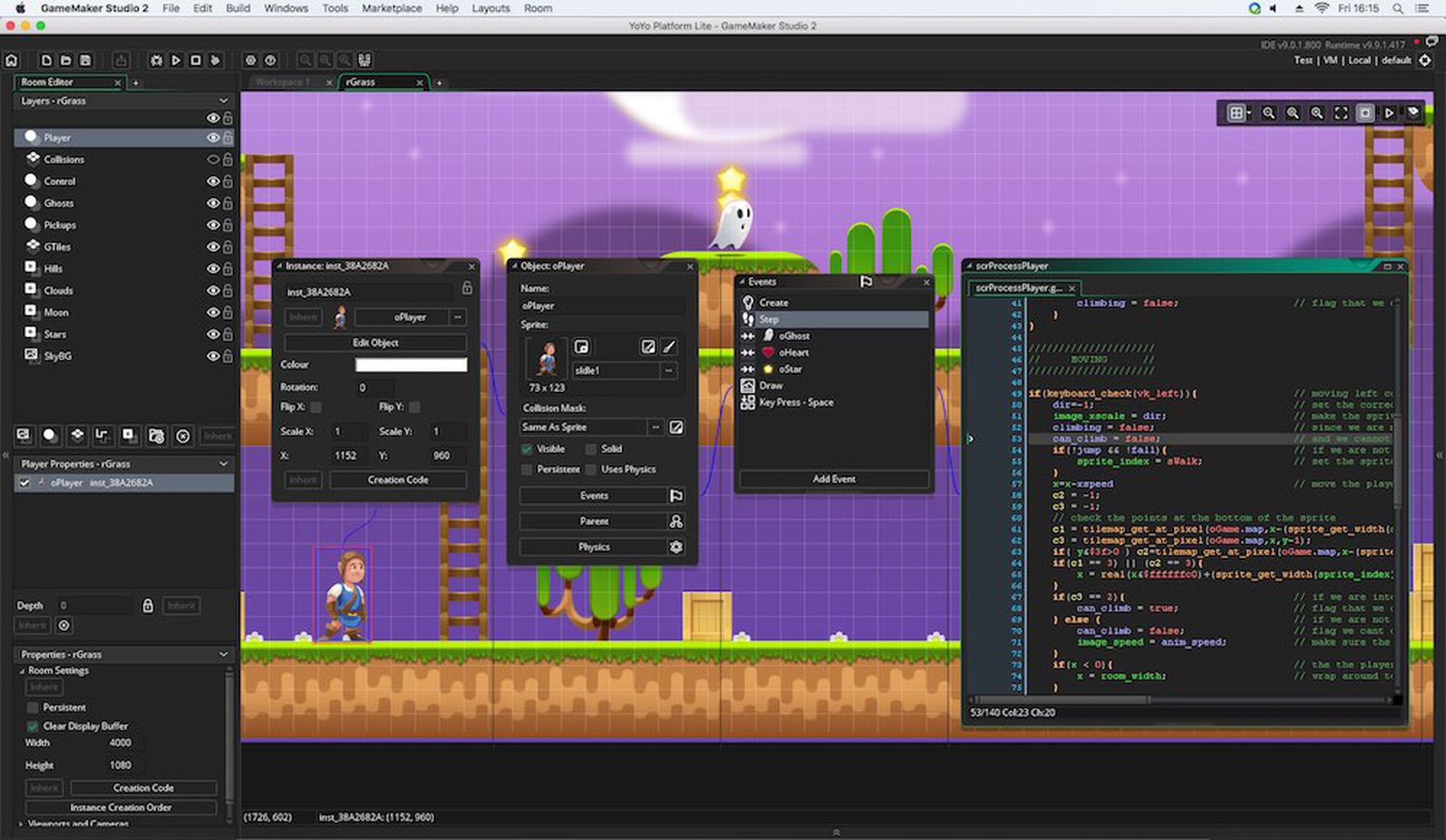
GameMaker is another beginner-friendly engine focused mainly on 2D game development.
Main features:
- Easy tools for creating sprites, levels, and animations
- Built-in scripting language for game logic
- Popular among indie developers for creating simple but fun games
Many well-known indie games were created using GameMaker because of its simple workflow and strong 2D capabilities.
Official website: https://gamemaker.io
✅ Summary
These engines are commonly used by beginners to start making games:
- Unity – Great for both 2D and 3D games with strong community support
- Unreal Engine – Best for high-quality 3D graphics and realistic games
- Godot – Free, open-source, and excellent for 2D projects
- Scratch – Perfect for beginners learning programming basics
- GameMaker – Simple and powerful tool for creating 2D games
Choosing the right engine depends on your experience level and the type of game you want to build. 🎮
Step-by-Step Guide to How to Create a Game for Free
Now let’s explore the exact process of creating a game.
Step 1: Choose a Game Idea 💡
Every game begins with a simple idea or concept. This step involves deciding what kind of game you want to create.
You should ask yourself questions such as:
- What type of game do I want to build?
- Who will play this game?
- What makes my game interesting or unique?
Beginners should start with simple game concepts like:
- Endless runner games
- Puzzle games
- Platformer games
Starting small helps you learn faster and finish your first project successfully.
Step 2: Select a Free Game Engine 🎮
A game engine is the software used to build and run your game. Choosing the right engine depends on your experience level.
Some recommended engines include:
- Beginner: Scratch – uses drag-and-drop blocks instead of coding.
- Intermediate: Godot – simple scripting and strong 2D tools.
- Advanced: Unity and Unreal Engine – powerful engines for professional game development.
These engines provide tools for graphics, physics, scripting, and game logic.
Step 3: Learn Basic Game Development 📚
Before building your game, you need to learn the basic concepts of game development.
You can learn through:
- YouTube tutorials
- Online courses
- Official documentation from game engine websites
Most engines offer free tutorials and beginner guides, making it easier to understand programming, game mechanics, and level design.
Step 4: Create Game Assets 🎨
Game assets are the visual and design elements used in your game.
Examples of assets include:
- Characters
- Background environments
- Animations
- Objects and items
Some free tools for creating assets are:
- Blender – for creating 3D models and animations
- GIMP – for editing textures and graphics
- Inkscape – for creating 2D illustrations and icons
These tools help developers design professional-looking game graphics without paying for software.
Step 5: Design Game Levels 🗺️
Level design determines how players experience the game world.
Important parts of level design include:
- Obstacles and challenges
- Enemy placement
- Rewards such as coins or power-ups
- Difficulty progression
For beginners, it is best to start with simple levels and slowly increase the difficulty as the player progresses.
Step 6: Add Sound and Music 🔊
Sound effects and music help make the game more immersive and enjoyable.
Examples include:
- Background music
- Jump or attack sounds
- Environmental effects like wind or water
Developers can download free sound assets from platforms like:
- itch.io
- OpenGameArt
These websites provide free sound effects, music, and art assets for game developers.
Step 7: Test Your Game 🧪
Testing is a crucial step in game development. It helps ensure that the game runs smoothly and is fun to play.
During testing, developers should:
- Fix programming bugs
- Improve gameplay mechanics
- Adjust game difficulty
- Check performance and controls
It is helpful to let friends or other players test the game and give feedback for improvements.
Step 8: Publish Your Game 🚀
After finishing development and testing, the final step is publishing the game so players can download and play it.
Popular platforms for publishing games include:
- Google Play Store
- Apple App Store
- Steam
- itch.io
Publishing allows developers to share their game with a global audience and even earn money from it.
How to Create a Game Without Coding
Many beginners worry about programming.
What Is No-Code or Visual Game Development? 🎮
No-code game development platforms replace traditional coding with visual tools. Instead of typing programming commands, developers:
- Drag and drop elements
- Connect logic blocks
- Create events and actions visually
For example, you might create a rule like:
- Event: Player touches coin
- Action: Increase score by 1
This system makes game development easier to understand, especially for beginners and students.
Construct 3

Construct 3 is a popular tool for creating 2D games without coding.
Key features:
- Uses an event-based visual scripting system
- Runs directly in a web browser
- Beginner-friendly interface
- Ideal for making platformers, puzzle games, and arcade games
Instead of writing code, developers create events and actions such as:
- When the player presses a key → move character
- When an enemy touches the player → reduce health
This approach allows beginners to focus on game design and creativity rather than complex programming.
Scratch
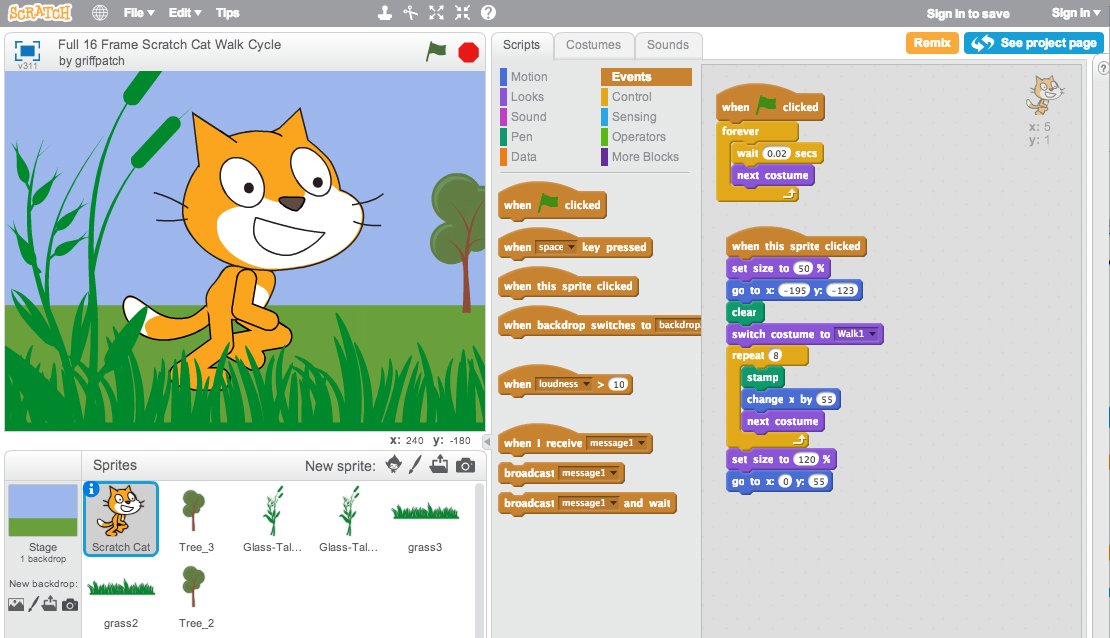
Scratch is designed mainly for beginners, students, and young developers.
Key features:
- Uses drag-and-drop programming blocks
- Very easy to learn
- Helps teach basic programming logic
- Allows users to create simple games, animations, and stories
In Scratch, you build a game by connecting blocks like:
- When green flag clicked
- Move 10 steps
- If touching object
These blocks form the logic of the game without requiring coding knowledge.
These tools use visual scripting systems where you build game logic using blocks or events.
Common Mistakes Beginners Should Avoid
Many beginners face problems when starting game development.
Here are common mistakes to avoid.
1. Starting with a Complex Game
One of the biggest mistakes beginners make is trying to build a very large or complicated game as their first project.
For example, creating a huge open-world RPG or multiplayer game requires:
- Advanced programming
- Complex game systems
- Large development teams
- Long development time
For beginners, this can quickly become overwhelming and frustrating.
Better approach:
Start with small and simple projects such as:
- A puzzle game
- A basic platformer
- A simple endless runner
Completing small games helps you learn game mechanics, coding, and design step by step.
2. Ignoring Game Testing
Testing is a crucial part of game development. Many beginners skip testing and move directly to publishing the game.
Without proper testing, games may contain:
- Bugs or glitches
- Broken controls
- Gameplay issues
- Performance problems
To avoid this, developers should test their game frequently during development.
Helpful testing practices include:
- Playing the game after every major change
- Checking if controls work correctly
- Fixing bugs immediately
- Asking friends or players to test the game and provide feedback
Regular testing ensures the game becomes stable and enjoyable to play.
3. Poor Game Design
Good graphics alone do not make a game successful. Some beginners focus only on visuals and ignore gameplay design.
Poor game design can lead to:
- Boring gameplay
- Unbalanced difficulty
- Confusing objectives
- Lack of player motivation
Instead, developers should focus on creating fun and engaging gameplay mechanics, such as:
- Clear goals for players
- Balanced challenges and rewards
- Smooth controls and progression
A well-designed game keeps players interested and motivated to continue playing.
Tips to Make Your Game Successful
If you want your game to stand out, follow these tips.
1. Keep Gameplay Simple 🎮
One of the most important rules in game design is simplicity. Games that are easy to understand often become more popular.
Simple gameplay means:
- Players can learn the controls quickly
- The game objectives are clear
- The mechanics are easy to understand
Many successful games became popular because they are simple but addictive. When players can start playing without confusion, they are more likely to continue and recommend the game to others.
2. Focus on Player Experience 😊
A great game always focuses on the player’s experience. Even a simple game can feel amazing if the gameplay is smooth and enjoyable.
Important elements of good player experience include:
- Responsive controls so the character moves smoothly
- Clear goals so players know what to do
- Balanced difficulty that challenges players without frustrating them
When players feel comfortable and entertained, they are more likely to spend more time playing your game.
3. Listen to Player Feedback 🗣️
Feedback from players is extremely valuable for improving a game.
Players might point out:
- Bugs or technical issues
- Difficult levels
- Missing features
- Gameplay improvements
By listening to feedback, developers can understand what players enjoy and what needs improvement. This helps make the game better over time.
4. Update Your Game Regularly 🔄
Successful games are rarely finished after the first release. Developers usually provide regular updates to keep players interested.
Updates can include:
- New levels or missions
- Additional characters or items
- Bug fixes and performance improvements
- Special events or seasonal content
Regular updates show players that the game is actively maintained, which encourages them to continue playing.
Can You Earn Money from Free Games?
Yes, many developers earn money from games created with free tools.
Common monetization methods include:
Advertisements
Mobile games often display ads to generate revenue.
In-App Purchases
Players can buy items, skins, or upgrades.
Selling the Game
PC games can be sold on platforms like Steam.
Sponsorships
Popular games sometimes receive sponsorship deals.
Frequently Asked Questions
Can I create a game without coding?
Yes. Tools like Scratch and Construct 3 allow game creation without coding.
How long does it take to create a game?
A simple game can be built in a few days or weeks, while complex games may take months or years.
What is the easiest game engine for beginners?
Most beginners start with Godot or Scratch because they are simple and free.
Can I publish a game for free?
Yes. Many platforms allow developers to publish games for free, although some stores charge a small registration fee.
Conclusion
Learning how to create a game for free has never been easier. With powerful tools like Unity, Unreal Engine, and Godot, beginners can turn their creative ideas into real games without spending money.
Start with a simple project, learn the basics of game development, and gradually improve your skills. With dedication and creativity, you can build exciting games and even turn your passion into a successful career.